
yabridge Linux VST Plugin Bridge for Audio Production
yabridge lets Linux users run Windows VST2, VST3, and CLAP plugins with seamless integration, stable performance, and professional audio workflow compatibility.
500K+
Total Downloads
VST2+VST3
Plugin Formats
15+
Supported DAWs
<1ms
Round-Trip Latency
- About YaBridge
What is yabridge?
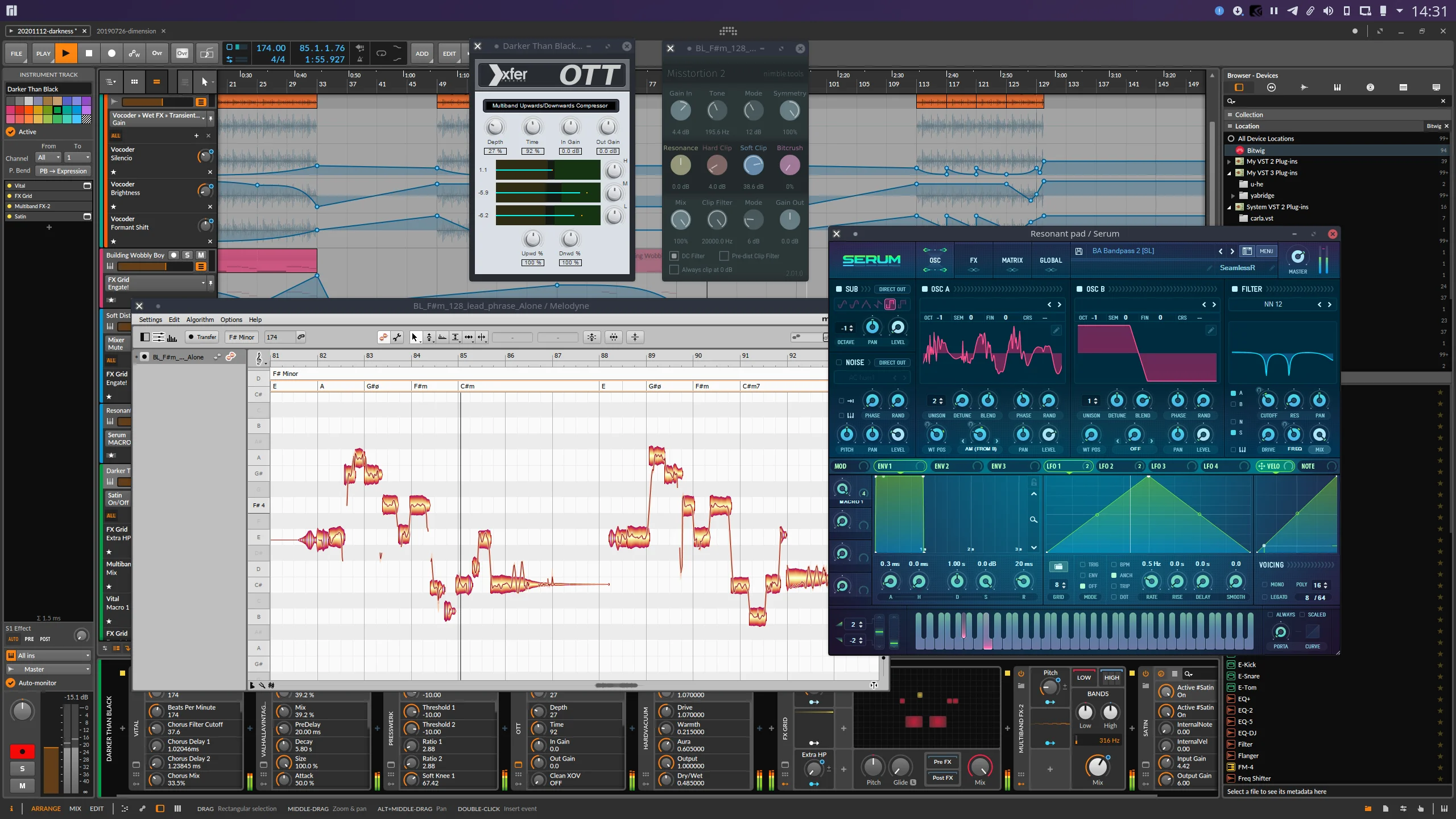
yabridge is an advanced plugin bridging solution created for Linux music producers, sound designers, and professional audio engineers who want seamless access to Windows audio plugins on Linux systems. It allows Windows VST2, VST3, and CLAP plugins to work smoothly inside Linux digital audio workstations, delivering a native like experience without disrupting workflow or performance.
Designed with stability, efficiency, and transparency in mind, yabridge integrates directly with Wine to provide reliable plugin compatibility across modern Linux audio environments. Whether you are producing music, mixing tracks, mastering projects, or experimenting with virtual instruments, yabridge helps unlock a wider range of creative tools for Linux-based production setups.
With support for both 32-bit and 64-bit plugins, fast plugin synchronization, and compatibility with popular Linux DAWs, yabridge has become a trusted solution for creators looking to combine the flexibility of Linux with the extensive ecosystem of Windows audio plugins.
- Key Features
Powerful Features Built for Linux Audio Creators?
Discover the powerful capabilities of yabridge, designed to help Linux audio creators run Windows plugins smoothly with stable performance, seamless integration, and professional workflow compatibility.
Ultra-Low Latency Performance
YaBridge achieves sub-millisecond round-trip latency by using shared memory for audio data transfer between the Windows plugin process and the Linux DAW. This means real-time playback and recording with no perceptible delay.
VST2 & VST3 Support
Full support for both VST2.x and VST3 plugin formats, including instrument plugins (VSTi) and effect plugins.
Auto Plugin Scanning
YaBridge automatically discovers and scans Windows VST plugins from your Wine prefix, integrating them directly into your Linux DAW's plugin list.
32-bit & 64-bit Bridge
Seamlessly run 32-bit Windows plugins in 64-bit Linux DAWs and vice versa, with automatic bit-bridging handled transparently.
CLI & GUI Tools
Comes with both command-line utilities for scripting and automation, plus a user-friendly GUI for plugin management and configuration.
Cross Platform Workflow
Integrate Windows audio plugins into Linux production environments while maintaining a smooth and professional workflow across modern studio systems, creative tools, and digital music production setups.
Rock-Solid Stability & Process Isolation
Each Windows plugin runs in its own Wine process, completely isolated from your DAW. If a plugin crashes, your DAW and other plugins continue running unaffected. YaBridge also handles automatic process recovery and state preservation.
- How It Works
YaBridge in 3 Simple Steps
Getting Windows VST plugins running on your Linux DAW is easier than you think.
Install YaBridge
Download and install YaBridge along with Wine. The installer automatically sets up the required directories and Wine prefix configuration.
Scan Windows Plugins
Point YaBridge to your Windows VST plugin directory. YaBridge scans and creates .so bridge files that your Linux DAW can read natively.
Produce Music
Open your Linux DAW, and your Windows plugins appear alongside native Linux plugins. Use them exactly as you would on Windows — it just works.
- Requirements
System Requirements
Make sure your system meets these requirements before installing YaBridge.
Minimum
Linux x86_64 (kernel 4.4+)
Wine 7.0 or newer (Staging recommended)
4 GB RAM minimum
Any Linux VST2/VST3 capable DAW
CMake 3.15+ for building
Recommended
Ubuntu 22.04+ / Fedora 37+ / Arch
Wine 8.0+ with Staging patches
16 GB RAM for large projects
REAPER, Bitwig Studio, or Ardour
Yabridgectl for easy management
- Step-by-Step
Installation Guide
Follow these steps to get YaBridge up and running on your Linux system.
Install Wine
Begin by installing Wine on your Linux system to enable Windows audio plugins to run smoothly inside Linux environments. Wine Staging is commonly recommended because it provides improved compatibility and better performance for professional audio production workflows using yabridge.
sudo apt install wine-staging
Download and Build yabridge
Download the latest version of yabridge from the official repository and build it using CMake. This process creates the required bridge components that allow Windows VST plugins to communicate with Linux digital audio workstations efficiently.
git clone https://github.com/robbert-vdh/yabridge.git

cd yabridge && mkdir build && cd build

cmake .. -DCMAKE_BUILD_TYPE=Release

cmake --build . --parallel
Configure Your Plugin Directory
Use the yabridgectl utility to connect your Windows VST plugin folders with Linux audio hosts. After adding the plugin directory, synchronize the plugins so they become available inside your Linux production environment.
yabridgectl set ~/vst-plugins/windows

yabridgectl sync
Scan Plugins in Your DAW
Open your preferred Linux DAW and perform a plugin rescan. Your Windows VST plugins will appear alongside native Linux plugins, allowing you to load instruments, effects, and studio tools directly into your music production workflow using yabridge.
- Compatibility
Supported Plugin Formats & Protocols
YaBridge supports the most widely used plugin formats in professional audio production.
VST 2.x
Full VST2 instrument and effect plugin support with parameter automation
VST 3
Complete VST3 support including note expressions and multi-io busses
32-bit Bridge
Run 32-bit Windows plugins in 64-bit Linux DAWs seamlessly
Presets & State
Full preset and plugin state save/recall support for project portability
- Why Choose
Why Linux Producers Prefer yabridge
Discover why yabridge is trusted by Linux music producers for smooth plugin compatibility, stable performance, efficient workflow integration, and reliable Windows plugin support.
Smooth Plugin Discovery
yabridge makes plugin discovery simple and efficient by allowing Linux audio hosts to detect Windows plugins as naturally as native Linux plugins. This streamlined process helps producers save time while maintaining an organized and productive music production environment.
Reliable Wine Integration
Built to work seamlessly with Wine, yabridge provides stable communication between Windows plugins and Linux systems. Its reliable integration helps reduce compatibility issues and ensures a smoother experience for professional audio production workflows.
Lightweight and Efficient Architecture
yabridge is designed with performance and efficiency in mind, using a lightweight architecture that minimizes system overhead while maintaining responsive plugin operation. This allows creators to run demanding audio projects without unnecessary performance loss.
Active Open Source Development
As an actively maintained open source project, yabridge continues to improve through regular updates and community contributions. Linux producers benefit from ongoing enhancements, expanded compatibility, and modern audio production support.
Excellent Compatibility with Professional Workflows
yabridge works smoothly with professional Linux DAWs and a wide variety of Windows audio plugins, making it suitable for recording, mixing, mastering, and sound design workflows used by modern music producers and audio engineers.
Transparent Plugin Handling for Stable Production Sessions
One of the key strengths of yabridge is its transparent plugin handling system, which allows Windows plugins to behave like native Linux plugins inside supported audio hosts. This helps maintain stable production sessions and creates a more seamless creative experience for Linux users.
- Honest Review
Pros and Cons of YaBridge
Every tool has strengths and limitations. Here’s an honest look at YaBridge.
Pros
Extremely Low Latency
Sub-millisecond round-trip using shared memory transport
VST2 and VST3 Support
One of the few bridges with full VST3 implementation
Process Isolation
Plugin crashes don't take down your entire DAW session
Free & Open Source
GPL-3.0 licensed, community-driven with active development
Easy Plugin Management
yabridgectl makes setup and syncing effortless
Cons
Requires Wine
Wine setup can be complex and may conflict with other Wine apps
Not All Plugins Work
Some copy-protected or iLok plugins may not function properly
Higher CPU Usage
Running through Wine adds CPU overhead compared to native plugins
Build from Source Often Required
Prebuilt binaries not always available for all distributions
No AU or LV2 Support
Only VST formats are supported — no AudioUnit or LV2 bridging
- Compare
YaBridge vs Alternatives
How does YaBridge stack up against other Linux VST bridging solutions?
| Feature | YaBridge | LinVST | Carla | Airwave |
|---|---|---|---|---|
| VST2 Support | ✓ | ✓ | ✓ | ✓ |
| VST3 Support | ✓ | × | Partial | × |
| Process Isolation | ✓ | × | ✓ | × |
| Low Latency | <1ms | ~2ms | ~3ms | ~2ms |
| 32-bit Bridge | ✓ | ✓ | ✓ | × |
| Active Development | ✓ | Slow | ✓ | Abandoned |
Optimized Performance for Professional Linux Audio Workflows
yabridge is designed to provide efficient Windows plugin compatibility on Linux while maintaining smooth workflow performance, responsive controls, stable plugin handling, and reliable communication between Wine and Linux audio hosts.
Performance Stability
92%
Optimized
Low Latency Processing
yabridge minimizes overhead between Linux audio hosts and Windows plugins, helping maintain responsive playback, recording, and mixing performance for modern production environments.
Efficient Resource Usage
Its lightweight architecture allows creators to work with demanding plugin chains while reducing unnecessary CPU usage and maintaining stable production sessions.
Stable Workflow Experience
By creating smooth communication between Wine and Linux systems, yabridge helps maintain reliable plugin loading, stable sessions, and seamless audio production workflows.
- Compatibility
Supported Linux DAWs
YaBridge works with any Linux DAW that supports VST2 or VST3 plugins.
REAPER
Bitwig Studio
Ardour
Waveform
MuseScore
Renoise
LMMS
Mixbus
Rosegarden
Qtractor
- Testimonials
What Linux Producers Say
Trusted by thousands of Linux audio producers worldwide.
Marcus R.
Electronic Producer, Berlin
Sarah L.
Film Composer, Los Angeles
David K.
Studio Owner, Amsterdam
- FAQ
Frequently Asked Questions
Got questions about YaBridge? Here are answers to the most common ones.
yabridge is a plugin bridge that allows Windows VST2 VST3 and CLAP plugins to run inside Linux digital audio workstations using Wine.
Linux producers use yabridge to access Windows audio plugins while maintaining a stable Linux music production workflow.
Yes, yabridge is an open source project available completely free to use.
Yes, yabridge works smoothly on Ubuntu and many modern Linux distributions.
Yes, beginners can easily install and configure yabridge using setup guides and plugin tools.
yabridge supports VST2 VST3 and CLAP plugin formats.
Yes, yabridge supports both 32 bit and 64 bit Windows plugins.
Yes, full VST3 plugin support is available in yabridge.
Yes, yabridge includes support for modern CLAP plugins.
Most popular Windows plugins work properly although compatibility may vary by plugin and Wine setup.
Install Wine download yabridge and sync your plugin folders using yabridgectl.
Yes, Wine is required because yabridge uses Wine to run Windows plugins on Linux.
Wine Staging is commonly recommended for better compatibility and performance.
You can synchronize plugins using the yabridgectl sync command.
Yes, yabridge can be installed and configured on Ubuntu 24.04 systems.
yabridge works with REAPER Bitwig Studio Ardour and several other Linux DAWs.
Yes, REAPER is one of the most commonly used DAWs with yabridge.
Yes, Bitwig Studio is fully compatible with yabridge.
Yes, bridged plugins appear similarly to native Linux plugins inside supported DAWs.
Yes, the same plugin setup can work across multiple Linux audio hosts.
Yes, yabridge is designed for stable plugin handling and professional audio workflows.
yabridge is optimized to minimize overhead while maintaining smooth performance.
Yes, it is built to support responsive low latency music production environments.
Yes, many producers use yabridge for recording mixing mastering and sound design.
When configured correctly with compatible plugins and Wine settings yabridge is very stable.
yabridgectl is the management utility used for syncing and organizing plugin folders.
Yes, users can add custom Windows plugin paths through yabridgectl.
Yes, yabridge is actively maintained as an open source project.
Yes, it works well with modern Linux audio environments and production setups.
You can download yabridge from its official GitHub releases page.