
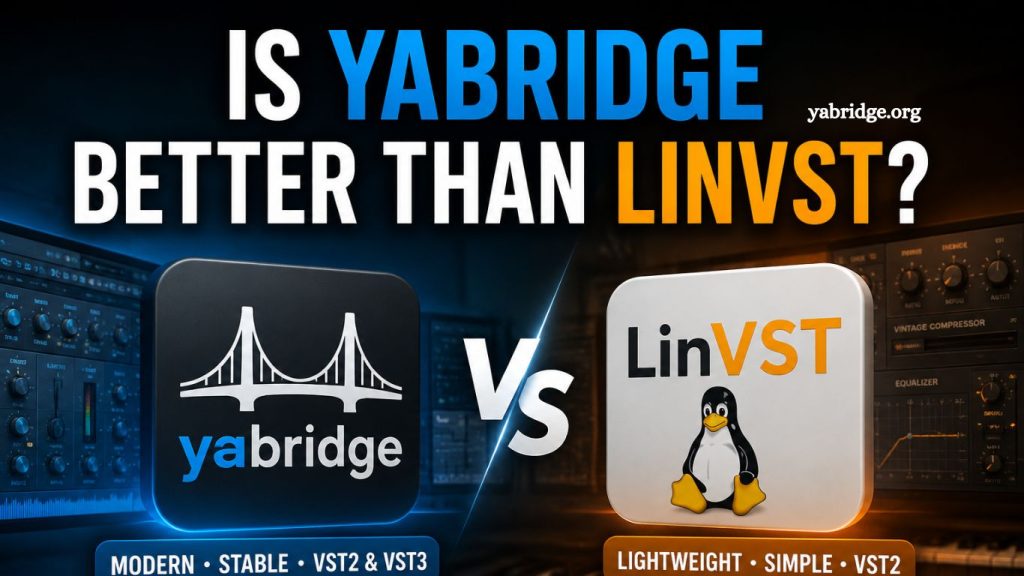
Linux audio production has come a long way over the last decade. Musicians, producers, and sound designers who once relied on Windows or macOS can now build powerful music production setups entirely on Linux. Yet one challenge continues to stand out: running Windows VST plugins smoothly inside Linux digital audio workstations.
This is where plugin bridge tools like yabridge Better and LinVST enter the conversation.
Both projects aim to solve the same problem. They allow Linux users to load Windows VST plugins into native Linux DAWs such as REAPER, Ardor, Bitwig Studio, and Carla. But while they share a common goal, the experience they provide can feel very different depending on your workflow, plugin collection, and system setup.
The question many Linux producers ask is simple: Is yabridge better than LinVST?
The short answer is that yabridge Better has become the preferred option for many modern Linux users because of its stability, compatibility, and active development. However, LinVST still has advantages in certain situations, especially for users who want a lightweight and straightforward bridge.
To understand which tool best fits your setup, it helps to compare them across performance, plugin support, ease of installation, resource usage, and long-term reliability.
Read More: How Do I Install Yabridge on Linux?
Understanding What Plugin Bridges Actually Do
Before comparing the two tools, it is important to understand why they exist in the first place.
Most professional audio plugins are designed for Windows and macOS. Linux users often rely on compatibility layers such as Wine to run these plugins. However, Wine alone does not always ensure a DAW recognizes Windows VST plugins correctly.
Bridge tools solve this issue by creating communication between Linux-native audio software and Windows plugin formats.
In practical terms, both yabridge and LinVST allow producers to:
- Load Windows VST2 and VST3 plugins on Linux
- Use commercial instruments and effects unavailable on Linux
- Keep older plugin collections active after switching operating systems
- Reduce the need for dual-boot setups
- Build professional Linux production environments
Without these tools, many producers would struggle to use popular plugins from companies such as Native Instruments, Waves, FabFilter, iZotope, and Arturia.
What is yabridge Better?
yabridge Better is a modern plugin bridge designed specifically for Linux audio production. It works with Wine and uses a backend such as WineASIO or PipeWire/JACK integration to connect Windows plugins to Linux DAWs.
One of the biggest reasons for yabridge’s better popularity is its broad compatibility with modern plugin formats and its focus on stability.
Unlike older bridge solutions, yabridge Better was designed with modern Linux audio systems in mind. It supports:
- VST2 plugins
- VST3 plugins
- Some CLAP compatibility workflows
- Multi-threaded plugin scanning
- Advanced synchronization features
- Better crash isolation
For many Linux users, yabridge Better feels closer to a native experience.
Another major advantage is its active development community. Bugs are addressed regularly, compatibility improves over time, and users often find detailed troubleshooting guides online.
What Is LinVST?
LinVST is another Windows plugin bridge for Linux. It has existed longer than yabridge Better and became popular during a period when Linux audio users had fewer reliable options.
LinVST works by creating Linux-compatible wrapper files around Windows plugins. These wrappers help DAWs recognize plugins while Wine handles execution.
Its main strengths include:
- Lightweight operation
- Simple plugin wrapping
- Good performance on older systems
- Lower setup complexity for some users
- Stable VST2 support
For years, LinVST has helped many Linux musicians maintain access to important Windows plugins.
However, compared to newer solutions, some users now view LinVST as less flexible and less future-focused.
Installation and Setup Comparison
Ease of installation matters more than many people realize.
Audio production setups can quickly become complicated. Producers already deal with audio interfaces, MIDI devices, sample libraries, and DAW configurations. A plugin bridge that requires constant troubleshooting can interrupt creativity.
yabridge Installation Experience: The
yabridge installation is relatively modern and streamlined.
Most users install:
- Wine or Wine Staging
- yabridge packages
- yabridgectl for plugin management
After setup, users point Yabridge toward their Windows plugin folders and sync the plugins.
The command-line management system makes scanning and updating plugins efficient. Once configured properly, the workflow feels organized and scalable.
For producers with large plugin collections, this structure becomes extremely useful.
LinVST Installation Experience
LinVST installation can feel simpler at first because it uses wrapper generation.
Users typically:
- Install Wine
- Place LinVST files into plugin folders
- Generate wrappers
- Scan plugins in the DAW
For small plugin collections, this process can work well.
However, managing many plugins may become less convenient over time, especially when troubleshooting incompatible plugins.
Which Is Easier?
For beginners with only a few plugins, LinVST may feel simpler at first.
For long-term workflows and larger setups, many users find yabridge more manageable and professional.
Plugin Compatibility
Compatibility is where yabridge often pulls ahead.
Modern producers use increasingly complex plugins. These plugins rely on advanced graphical interfaces, hardware acceleration, licensing systems, and background services.
yabridge Compatibility Strengths:
yabridge generally handles modern VST3 plugins better than LinVST.
Many users report strong compatibility with:
- FabFilter plugins
- Valhalla DSP plugins
- Native Instruments Kontakt
- Serum
- Arturia instruments
- Spitfire Audio libraries
- iZotope effects
- Waves plugins
Although no bridge is perfect, yabridge tends to offer fewer graphical glitches and fewer synchronization issues.
Its support for newer plugin standards is one reason why Linux producers increasingly recommend it.
LinVST Compatibility Strengths
LinVST still performs well with many classic VST2 plugins.
Older synthesizers and effects often work smoothly because LinVST focuses on straightforward bridging rather than extensive feature layers.
For producers using legacy plugin collections, LinVST can still be reliable.
However, users sometimes encounter issues with:
- Complex VST3 plugins
- Advanced graphical interfaces
- Copy protection systems
- Plugin scanning crashes
- High-DPI scaling
As plugin technology evolves, these limitations become more noticeable.
Performance and CPU Usage
Performance is critical during music production.
A bridge that consumes excessive CPU resources or introduces latency can affect recording sessions, live performance, and large projects.
yabridge Performance
yabridge is known for efficient plugin communication and strong performance optimization.
Its threading system helps maintain smoother plugin behavior in demanding sessions.
In many cases, users report:
- Better DAW stability
- Lower crash frequency
- Improved handling of heavy instruments
- More consistent plugin scanning
- Reliable project loading
Some producers even run large orchestral templates through yabridge without major problems.
LinVST Performance
LinVST is lightweight and performs well on low-powered systems.
For basic mixing sessions or smaller plugin chains, it often delivers excellent CPU efficiency.
However, stability can vary depending on:
- Wine versions
- Plugin complexity
- GUI rendering
- DAW compatibility
While LinVST itself is not necessarily slow, modern plugins sometimes expose limitations.
Stability During Professional Work
Stability matters more than raw speed.
A single plugin crash during recording or mixing can disrupt an entire session.
Why Many Producers Prefer yabridge
One reason yabridge receives strong praise is its handling of problematic plugins.
It offers better crash isolation and communication management. This means that when a plugin misbehaves, the DAW itself is less likely to crash completely.
For professional environments, this difference matters.
Many Linux audio users now build studio systems specifically around:
- PipeWire
- REAPER
- Wine Staging
- yabridge
This combination has become one of the most common Linux production workflows.
LinVST Stability
LinVST can still be stable in carefully configured systems.
Many longtime Linux musicians continue to use it successfully.
However, it may require more manual tweaking and experimentation, especially when dealing with newer plugins.
For hobbyists, this may not be a major issue.
For commercial production work, fewer troubleshooting interruptions often become a priority.
Community Support and Development
Software longevity matters in the Linux world.
Audio producers depend on tools that continue receiving updates as operating systems and plugin standards evolve.
yabridge Community
yabridge has a highly active community.
Users regularly share:
- Compatibility reports
- Setup guides
- Performance optimizations
- Bug fixes
- Wine configuration tips
Its GitHub activity and community engagement give users confidence that the project continues moving forward.
LinVST Community
LinVST still has a loyal user base, but development activity appears to be slower than at yabridge.
This does not mean LinVST is unusable.
It simply means newer Linux users often gravitate toward projects with more visible updates and larger active communities.
Which One Works Better With REAPER?
REAPER is one of the most popular DAWs among Linux producers.
Both yabridge and LinVST work with REAPER, but many users report smoother experiences with yabridge.
Advantages often include:
- Faster plugin scanning
- Better VST3 handling
- More stable UI behavior
- Improved project recovery
- Better compatibility with modern plugins
Because REAPER itself is highly optimized on Linux, pairing it with yabridge often creates a polished workflow.
Is yabridge Better for Gaming Audio and Live Streaming?
Some Linux users also use audio plugins for:
- Live streaming
- Podcasting
- Voice processing
- Gaming audio enhancement
- OBS Studio effects
In these environments, reliability becomes especially important because crashes can interrupt broadcasts.
Many streamers and content creators prefer yabridge for its stronger support for real-time plugin chains.
LinVST can still work for lightweight setups, but yabridge tends to scale better under demanding conditions.
Are There Any Downsides to yabridge?
Despite its advantages, yabridge is not perfect.
Some potential downsides include:
- Slightly more complex initial setup
- Dependence on modern Wine configurations
- Occasional compatibility issues with niche plugins
- More background processes than lightweight bridges
Users unfamiliar with Linux terminal commands may also need time to learn the workflow.
Still, many producers feel the long-term benefits outweigh the learning curve.
Are There Situations Where LinVST Is Better?
Yes, there are cases where LinVST still makes sense.
LinVST may be the better choice if you:
- Use mostly older VST2 plugins
- Prefer minimal system overhead
- Have an older Linux machine
- Want a lightweight setup
- Already have a stable LinVST workflow
- Do not need advanced VST3 compatibility
For simple production needs, LinVST remains capable.
Not every producer requires the newest features.
Frequently Asked Questions
What is yabridge used for?
yabridge is a plugin bridge that allows Linux users to run Windows VST2 and VST3 plugins inside Linux DAWs using Wine.
Is yabridge better than LinVST for VST3 plugins?
Yes, yabridge generally offers better VST3 compatibility, improved stability, and smoother performance with modern plugins.
Does LinVST still work in 2026?
Yes, LinVST still works well for many users, especially those using older VST2 plugins or lightweight production setups.
Which DAWs support yabridge and LinVST?
Both tools work with popular Linux DAWs such as REAPER, Ardor, Bitwig Studio, Carla, and Waveform.
Do I need Wine to use yabridge or LinVST?
Yes, both yabridge and LinVST rely on Wine to run Windows audio plugins on Linux systems.
Which bridge is easier for beginners?
LinVST can feel simpler for small plugin collections, while yabridge becomes easier to manage in larger professional workflows.
Can yabridge improve Linux music production performance?
yabridge can improve workflow stability and plugin handling, especially with modern VST3 instruments and effects.
Conclusion
Choosing between yabridge and LinVST depends on your Linux audio production needs, plugin collection, and workflow preferences. While both tools help run Windows VST plugins on Linux, yabridge stands out with better VST3 support, stronger stability, active development, and improved compatibility with modern DAWs and plugins.