
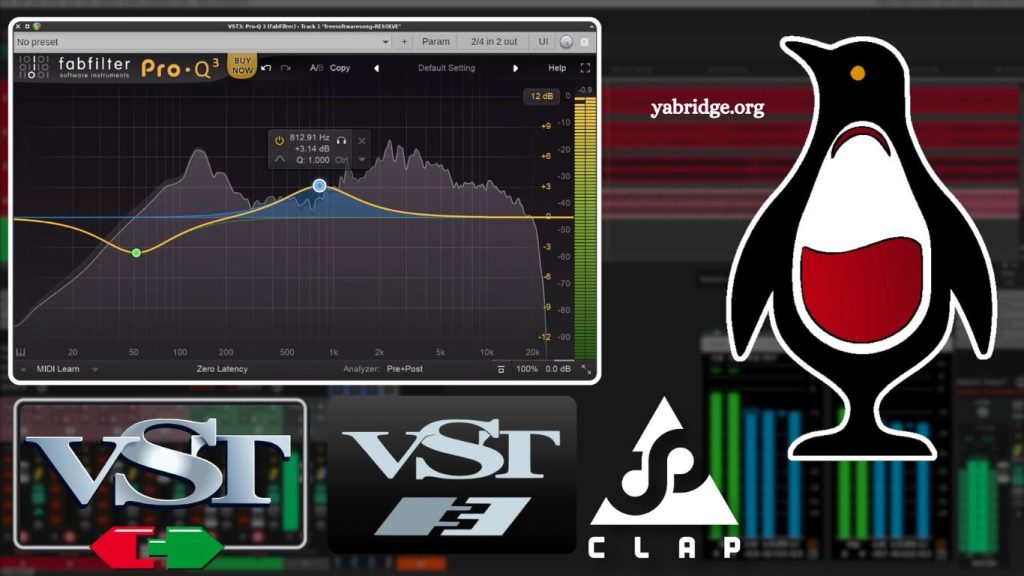
If you are working with music production on Linux and relying on Windows VST plugins, you have likely come across yabridge. It is one of the most widely used compatibility layers for running Windows audio plugins in Linux digital audio workstations (DAWs). A common question among producers and audio engineers is: Does yabridge support VST3 plugins?
The short answer is yes—yabridge supports VST3 plugins in addition to VST2 plugins. However, the real-world experience depends on plugin design, host DAW compatibility, and proper configuration. In this article, we will explore VST3 support in yabridge in detail, including how it works, its limitations, setup considerations, and best practices for stable performance.
Understanding yabridge in Modern Music Production
Before focusing on VST3 compatibility, it is important to understand what yabridge actually does.
yabridge (Yet Another Bridge) is a compatibility layer that allows Windows VST plugins to run on Linux systems. It works by combining:
- Wine, which provides a Windows compatibility environment
- A bridge system that connects Windows plugin binaries to Linux-native DAWs
- A synchronization layer that ensures plugins behave like native Linux VSTs
In practical terms, yabridge allows producers to load Windows-built VST instruments and effects inside Linux DAWs such as REAPER, Bitwig Studio, or Ardor.
Read More: Which DAWs Support yabridge?
Its primary goal is to provide a near-native experience, where plugins appear and behave as if they were compiled for Linux.
What Are VST3 Plugins?
To understand yabridge’s compatibility, we need to understand VST3 itself.
VST3 (Virtual Studio Technology 3) is the modern plugin standard developed by Steinberg. It is an upgrade over VST2 and introduces several improvements:
- More efficient CPU usage through dynamic processing
- Better handling of silence detection (reduces unnecessary CPU load)
- Improved MIDI and audio routing flexibility
- Advanced parameter automation support
- Better scalability for complex instruments and effects
Compared to VST2, VST3 is more structured and feature-rich, which makes it the preferred format for many modern plugin developers.
Because of these enhancements, many users prefer VST3 versions of plugins when available.
Does yabridge support VST3 Plugins?
Yes, yabridge supports VST3 plugins on Linux systems using Wine-based compatibility layers. This includes running Windows VST3 plugins inside supported DAWs.
However, there are important details to understand:
Native Plugin Format Still Matters
yabridge does not convert plugins into Linux-native binaries. Instead, it bridges Windows VST3 plugins so they can function inside Linux DAWs.
This means:
- The plugin must have a Windows VST3 version
- The DAW must support VST3 scanning
- Wine must properly execute plugin dependencies
DAW Support Is Required
Even if yabridge supports VST3, your DAW must also support it. Most modern Linux DAWs do, including:
- REAPER (Linux version)
- Bitwig Studio
- Ardor (with VST support enabled)
If your DAW only supports VST2, VST3 plugins will not load regardless of yabridge capabilities.
Version Compatibility Matters
yabridge has evolved significantly. Earlier versions had limited or experimental VST3 support, but modern releases now include stable support for VST3 plugins across most workflows.
Still, performance and stability can vary depending on:
- Plugin vendor implementation
- Wine version
- System configuration
How yabridge Handles VST3 Plugins
yabridge operates as a bridge between Windows plugin environments and Linux DAWs. When dealing with VST3 plugins, the process works like this:
- The DAW scans the plugin folder
- yabridge detects a Windows VST3 plugin
- It launches the plugin inside a Wine environment
- A communication layer maps plugin functions to Linux DAW expectations
- The plugin appears in the DAW like a native VST3 plugin
This process happens in real time, allowing seamless interaction between the DAW and the Windows plugin.
The key advantage here is that the user does not need to manually configure each plugin beyond initial setup.
System Requirements for VST3 Support in yabridge
To ensure smooth VST3 functionality, your system should meet certain requirements.
A Linux Distribution with Audio Support
Popular choices include:
- Ubuntu Studio
- Fedora Jam
- Arch Linux (custom configured)
Wine and Dependencies
yabridge relies on Wine to execute Windows plugins. A modern Wine build is required for VST3 stability.
A Compatible DAW
Make sure your DAW:
- Supports VST3 scanning
- Allows plugin sandboxing or bridging
- Can rescan plugin directories properly
Updated yabridge Version
Using the latest stable version is essential for Vim improvements, ST3 support, and bug fixes.
Setting Up VST3 Plugins with yabridge
While setup may vary depending on distribution, the general workflow is:
- Install Wine and dependencies
- Install yabridge
- Place Windows VST3 plugins in a dedicated folder
- Run the yabridge sync command to register plugins
- Scan plugins inside your DAW
Once configured, VST3 plugins should appear in your DAW’s plugin list alongside VST2 plugins.
Common Limitations of VST3 in yabridge
Although VST3 support exists, it is not without challenges.
Plugin-Specific Issues
Some VST3 plugins are not perfectly compatible due to:
- Advanced GUI frameworks
- Copy protection systems
- External licensing services
Wine Dependency Limitations
Because yabridge depends on Wine:
- Some plugins may not initialize correctly
- Activation tools may fail
- UI rendering may be inconsistent
CPU and Memory Usage
Bridging introduces a small overhead. VST3 plugins, while efficient natively, may not always retain that efficiency under Wine.
DAW Behavior Differences
Not all DAWs handle bridged VST3 plugins equally. Some may require additional configuration for scanning or sandbox permissions.
Performance Considerations
When using VST3 plugins through yabridge, performance depends on several factors:
- CPU strength and multi-threading capability
- Audio buffer size settings in DAW
- Plugin complexity (synths vs effects)
- Wine configuration optimization
For best results:
- Use real-time priority scheduling in Linux audio settings
- Keep buffer sizes moderate
- Avoid unnecessary background processes
In most cases, performance is stable enough for professional music production, especially on modern hardware.
VST2 vs VST3 in yabridge
While VST3 is more modern, both formats are widely used.
VST2 Advantages:
- Simpler architecture
- Higher compatibility with older plugins
- Often more stable in Wine environments
VST3 Advantages:
- Better CPU efficiency (native use)
- Advanced routing capabilities
- More modern plugin development standard
In yabridge:
- VST2 plugins may sometimes be slightly more stable
- VST3 plugins offer better long-term compatibility with newer software ecosystems
Choosing between them depends on your plugin collection and workflow requirements.
Troubleshooting VST3 Plugins in yabridge
If VST3 plugins are not appearing or loading, consider the following steps:
Rescan Plugins
Run a full rescan in your DAW after syncing Yabridge.
Check Plugin Path
Ensure VST3 files are placed in the correct directories.
Update Wine
An outdated Wine version is a common cause of instability.
Verify Plugin Installation
Some installers may fail to register VST3 components properly.
Check Logs
yabridge provides logs that help identify loading issues.
Best Practices for Stable VST3 Use
To maintain a stable workflow:
- Keep your system updated regularly
- Use consistent plugin directories
- Avoid mixing multiple Wine versions
- Test plugins individually before production use
- Maintain backups of working configurations
These practices help reduce downtime and improve reliability in production environments.
Frequently Asked Questions
Does yabridge support VST3 plugins?
Yes, yabridge supports VST3 plugins by bridging Windows VST3 formats into Linux DAWs through Wine.
Are VST3 plugins stable in yabridge?
Stability depends on the plugin and Wine setup. Many VST3 plugins work well, but some may need tuning.
Do all DAWs support VST3 with yabridge?
No. Your DAW must support VST3 scanning. DAWs like REAPER and Bitwig generally handle it well.
Is VST3 better than VST2 in Yabridge?
Not always. VST3 offers modern features, but VST2 can sometimes be more stable in Wine-based setups.
Why is my VST3 plugin not showing in Yabridge?
It may require rescanning, proper installation, or updating Wine and yabridge to the latest version.
Do VST3 plugins use more CPU in Yabridge?
They can have slight overhead due to Wine bridging, but performance is usually acceptable on modern systems.
Can I use both VST2 and VST3 plugins together in Yabridge?
Yes, yabridge supports both formats, allowing you to use VST2 and VST3 plugins in the same DAW session.
Conclusion
yabridge does support VST3 plugins, making it a practical solution for running modern Windows audio tools on Linux systems. While it successfully bridges VST3 formats into compatible DAWs, performance and stability depend on factors such as Wine configuration, plugin design, and DAW support.